Your cockpit for everything Yukti can do.
Capturing through WhatsApp is fast — but reviewing, planning, and organizing require a bigger surface. The Full Control Dashboard is your wide-screen workspace: a unified board where reminders, lists, Memory Vault files, long-term preferences, notes, friends, and all your settings live together. Edit anything in bulk. See everything at a glance. Plan your day like a pilot, not a passenger.
The Problem
Compact. Clear. No repeated problem lines.
The Solution
Your desktop workspace for everything Yukti knows, does, and manages for you.
The Dashboard unifies:
- ✓ Advanced Overview Dashboard
- ✓ Reminders (add, edit, delete, reorder)
- ✓ Lists & Notes
- ✓ Memory Vault (organized by tags & file types)
- ✓ Long-term Memory (review, update, delete preferences)
- ✓ Friend-to-friend reminders & invited contacts
- ✓ Calendar-style timeline overview
- ✓ Personal settings
- ✓ Agent behavior and customization options
Edit Anything in Bulk
Select multiple items and update, delete, or reorganize them all at once.
Drag and Reorder Lists
Reorganize your lists visually with simple drag-and-drop actions.
Clean Up Tasks Lightning-Fast
Mark multiple tasks complete, archive old ones, or clear your backlog in seconds.
Rename Vault Files
Update file names and tags for better organization without searching through chats.
Update Long-term Rules
Modify your preferences and behavioral rules from one clean settings panel.
Track Your Completion Rate
See your productivity stats and progress with visual insights and metrics.
The Dashboard turns WhatsApp into a full productivity operating system.
How to Access
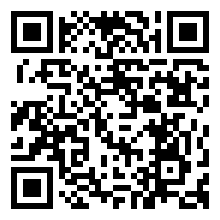
Just say on WhatsApp:
Use Cases
1. Clean up a messy week in minutes
You open the Dashboard, view every reminder, task, and list in one timeline, and reorganize your entire week with drag-and-drop — instead of rewriting everything in chat.
2. Bulk-edit a long list without typing
Your grocery list, team tasks, or project items can be reorganized, renamed, or cleared in one sweep — no scrolling through WhatsApp messages.
3. See everything you're carrying mentally
The Dashboard shows a bird's-eye view of your commitments: tasks, events, pending files, reminders, and personal rules — reducing the "I'm forgetting something" feeling.
4. File management becomes effortless
Memory Vault items appear in clean categories: Images • PDFs • Screenshots • Tickets • IDs • Contracts. Rename, delete, or reorganize everything visually.
5. Tune your long-term memory rules
Change your preferred tone, meeting hours, default list styles, VIP contacts, and behavioral rules — all from one settings screen.
6. Prepare a month like a strategist
Use the dashboard's wide view to forecast work, travel, tasks, deadlines, and personal commitments — all mapped out on one unified board.
Channel Availability
Plans
The Full Control Dashboard is available in:
Stop juggling dozens of apps and tabs.
Your agent is on WhatsApp — your control panel belongs on a wide screen.